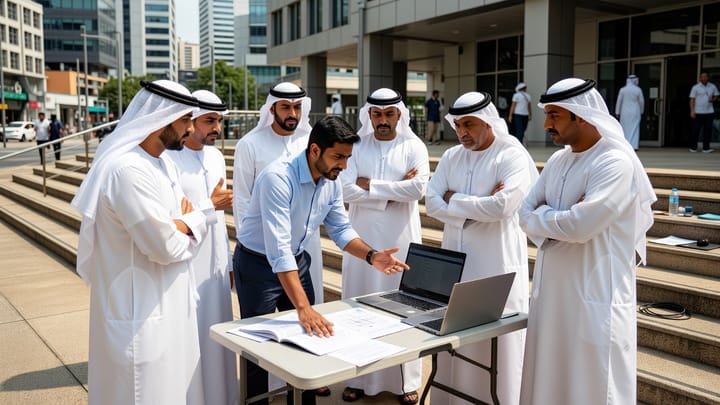
CentOS 7 stopped receiving security updates on 30 June 2024. PHP 7.4 lost its security support on 28 November 2022, and PHP 8.1 followed at the end of 2025. If any of those is running something your business depends on, you are no longer carrying technical debt — you are carrying an unpatched liability with a published expiry date that any auditor, insurer or enterprise customer can look up in under a minute.
That is the part CIOs in this region tell me keeps them awake, and it is rarely the part that gets budget. Budget goes to new systems. The system quietly running procurement, or dispatch, or tenant billing — the one that works, that nobody wants to touch, that three people understand — waits.
Until it cannot wait. A payment integration breaks because TLS 1.0 and 1.1 were retired. A customer's security questionnaire asks a question the system cannot answer. Somebody leaves.
Three beliefs that turn a working system into an emergency
I hear the same three sentences in Dubai, Abu Dhabi and Riyadh, usually from capable teams who inherited something they did not build.
"If it still works, leave it alone"
The most reasonable-sounding of the three, and it holds right up until the moment it doesn't. Software does not decay on its own. Everything around it does — the operating system, the language runtime, the TLS libraries, the payment gateway's API version, the browser your users are on.
A system that has not changed in four years has not stayed still. It has drifted further from everything it depends on, quietly.
"We'll just rebuild it properly"
Fair, and I understand the appeal. Regular readers will know I have never been persuaded by the full-rewrite case, and here is the honest reason rather than the rhetorical one.
A rewrite delivers nothing until it reaches feature parity, and parity is the hard part — because a system that has run for a decade contains hundreds of rules nobody wrote down: the discount that applies to one customer category, the rounding convention finance depends on, the field a regulator asked for in 2019.
Those rules are the asset. The framework around them is not.
"Modernisation is an IT project"
It is a business continuity project wearing an IT badge. The decisions that matter — which capability moves first, what downtime is acceptable, which reports must reconcile to the penny — belong to the people who run operations, not the people who run servers.

Start with an audit, not an architecture diagram
The instinct is to draw the target state. Resist it for two weeks. You cannot design a route without knowing where you are standing, and in a system nobody has fully read, that is genuinely unknown.
What a legacy application audit actually covers
An audit is not a code review. It is an inventory across nine dimensions, and each produces findings the others cannot.
- Application and source code — language versions, dead code, duplicated logic, test coverage, and which modules change most often. In the systems we audit, under 20% of the code typically has any automated test coverage.
- Architecture — how components actually talk to each other, versus how the documentation says they do.
- Database — schema, data volumes, indexing, and how much business logic hides in stored procedures and triggers.
- APIs and integrations — every external system, scheduled job, file drop, and partner FTP nobody remembers commissioning.
- Infrastructure — where it runs, on what, patched to when, and who has access.
- Dependencies — every library and version, cross-checked against known vulnerabilities.
- Performance — the slowest queries, the busiest endpoints, and what happens at month-end close.
- Scalability — the ceiling, and which component hits it first.
- Cybersecurity posture — covered in its own section below, because it deserves one.
A logistics operator in Jebel Ali asked us to look at a dispatch system before expanding into a second emirate, and the brief was performance. Two days in, the performance question had answered itself: the slow screen was slow because a nightly reconciliation job had been failing for eleven weeks and a compensating query was scanning a table that should never have grown that large. Nobody had noticed, because the job wrote its errors to a log file on a server that had since been replaced. The fix that mattered most cost about a day. That is what audits are for — not to grade the code, but to find the thing you would otherwise pay someone to build around.
What the audit must produce
Three artefacts: a risk register ranked by business impact, a dependency and integration map, and a phased roadmap with costs attached to phases rather than to the whole programme. Anything less is interesting reading rather than a decision.
What does legacy application modernisation actually mean?
Legacy application modernisation is the practice of upgrading an existing system's technology, architecture and security while keeping its proven business logic and historical data intact. It ranges from re-hosting a system unchanged on modern infrastructure, through refactoring and re-platforming individual components, to selectively rebuilding the parts that genuinely need it — with the business running throughout.
There is no single technique. There is a menu, and picking the wrong item is how programmes get expensive. The PHP supported versions page and the equivalent lifecycle notices from Red Hat are, unglamorously, the two documents that should decide where on this menu you start.
Most Gulf programmes I have seen work well end up as a blend: API enablement everywhere, containerisation for release safety, re-platforming the runtime to PHP 8.4 or a current Node.js LTS, a modern Laravel or Node.js service layer growing alongside the old one, a Next.js or React front end replacing screens in batches, and microservices only where an actual organisational boundary justifies one.
Replacing a system one layer at a time
The technique that makes all of this safe has a name and a long history. Martin Fowler described the strangler fig application in 2004, and two decades later it is still the only approach I would put in front of a board for a mission-critical system.
Step one: put an API in front of the old system
Before anything is replaced, everything that talks to the legacy system is routed through one governed interface. That single move buys authentication, authorisation, rate limiting, logging and a versioning story — without changing a line of the business logic underneath.
Here is the shape of it, and it is deliberately unglamorous.
Nothing about the business logic changed. What changed is that the system now has one entrance instead of six, that entrance checks who is calling and what they may see, and every request is logged. A mobile app, a partner integration and an AI agent can all be given access later without touching the old code again.
Step two: move one capability at a time
With the API in place, capabilities move across individually. Reporting first, usually, because it is read-only and low-risk. Then a screen, then a workflow. Traffic is switched behind the interface, and if a replacement misbehaves you route back — same afternoon, no drama.
| Never migrate the database as step one. Moving data before the access layer is governed means every consumer breaks at the same moment, and you lose the ability to roll back without a restore. Put the API in first, then move storage behind it while nothing above notices. |
How do you preserve legacy business logic and historical data?
Legacy business logic is preserved by capturing its current behaviour as automated tests before any code is touched, so the rules survive even where nobody can explain them. Historical data is preserved by keeping the original store readable throughout, migrating in stages with reconciliation at each step, and never treating a one-way cutover as the plan.
You do not need to understand a rule to protect it. Feed the old system real inputs, record exactly what it returns, and turn those pairs into tests. The new implementation then has to produce the same answers — including the odd ones. When it doesn't, you have found an undocumented rule, and someone in finance can tell you whether it is a feature or a bug. About 30% of the time, in my experience, it turns out to be a feature.
For data, three practices carry the weight. Keep the legacy store readable for the whole programme, not until cutover. Reconcile after every migration step by comparing counts and control totals, not by sampling. And decide early what "historical" means — 12 years of ERP transactions may need to stay queryable, while 12 years of session logs almost certainly do not. Size drives sequencing too: a 40 GB database is a weekend, a 4 TB one with live users is a project with a rollback plan.
| The business logic in a fifteen-year-old system is the most expensive thing your company owns and the least documented. Modernisation done properly is the process of moving it to safety — not the process of replacing it. |
The security audit most legacy systems have never had
Nearly every long-lived system we assess has been extended many times and reviewed for security once, at the beginning, against a threat model that no longer applies.
What a legacy security audit examines
- Outdated libraries and runtimes — every dependency checked against published advisories and the Known Exploited Vulnerabilities catalog, because a medium severity with an active exploit outranks a theoretical high.
- Authentication — password policy, multi-factor coverage, session expiry, and whether accounts are removed when people leave.
- Authorisation — enforced server-side per object, or implied by which menu items are visible. Broken Access Control is A01 in the OWASP Top 10 for good reason.
- Secrets — credentials in source control, config files, build logs, and the deployed front-end bundle.
- APIs — authentication on every endpoint, rate limits, input validation, and error messages that don't narrate the schema.
- Data protection — what is encrypted, with which keys, held where, and who can read plaintext.
- Backups — not whether they run, but when someone last restored one and how long it took.
- Access controls — shared accounts, dormant accounts, and standing production access that should be temporary.
How to rank what you find
A hundred findings help nobody. Ranking by exploitability against business impact turns a list into a plan, and in practice around 80% of a first pass lands in the lowest tier.
One warning from experience. Do not let a P0 fix wait for the programme to start — we have made that mistake, putting an exposed reporting endpoint into phase two because it fitted the plan. It sat open for five weeks. Nothing happened, and nothing happening is not the same as nothing being wrong. P0 findings get fixed on their own timeline, and 100% of them close before phase four begins.
Before and after: what changes, and what deliberately does not
The most useful slide I have put in a board pack is a table showing what stays. Executives approve modernisation far more readily once they can see the thing they trust is not being thrown away.
Three states of a modernisation programme
The pictures below are the shape of most programmes we join: what we usually find, what the middle looks like, and what the end looks like when it goes well.
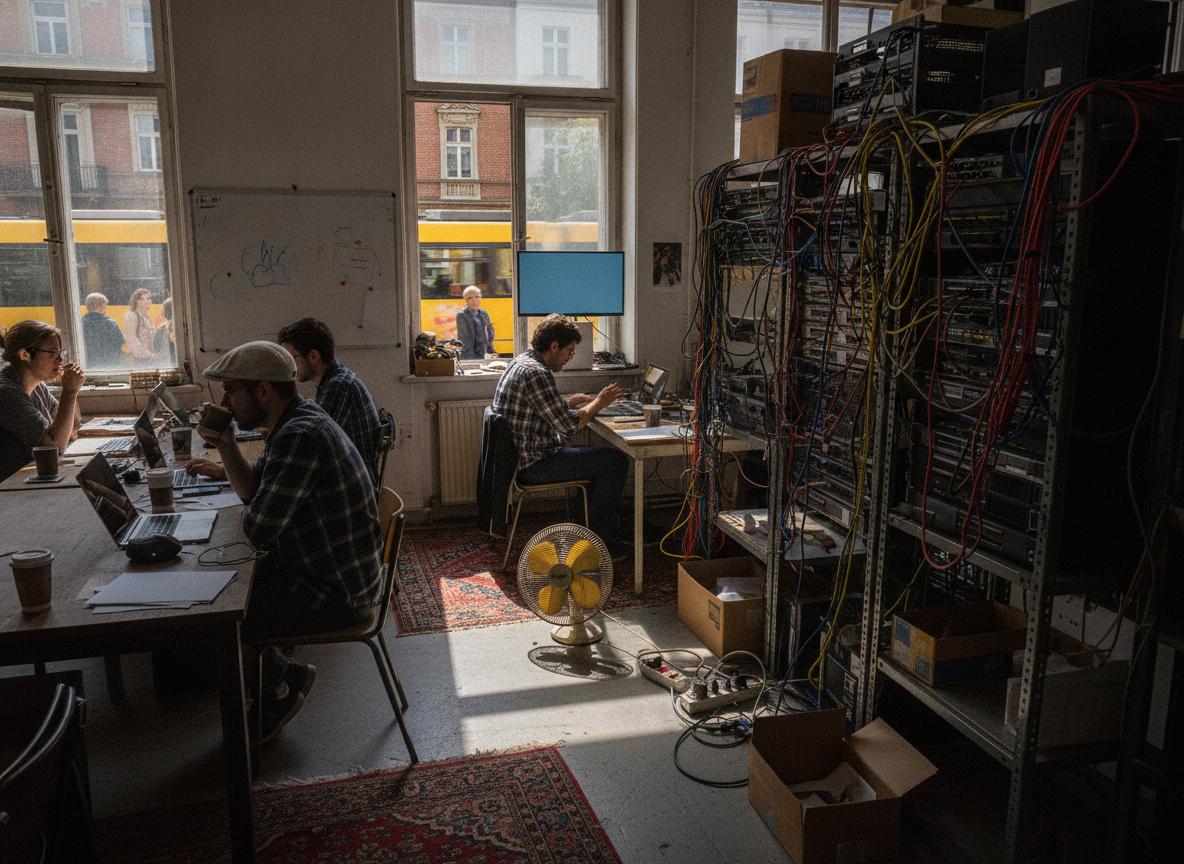 1. What we find. Accreted hardware, undocumented cabling, no two environments alike. |  2. Mid-programme. Both systems live at once, traffic moving capability by capability. |  3. The target. Uniform, observable, documented — and ready for what comes next. |
The seven-phase modernisation roadmap
Phases, not a big bang. Each has an exit condition, and the business can stop after any of them and still be better off than when it started — which is the property that makes this fundable.
Phase seven is the one that gets cut, and cutting it is how an organisation ends up doing this again in 2033. A modernised system with no maintenance discipline is simply a newer legacy system.
Making an existing system AI-ready without rewriting it
Something changed in the last two years that makes this argument easier to win. AI agents, retrieval-augmented generation and intelligent search all need the same thing from your systems, and it is not a modern framework. It is a governed way in.
An agent that books a shipment needs an API that authenticates it, limits what it can do, and records what it did. A retrieval system answering "what did we agree with this supplier in 2019?" needs the documents indexed and permission-aware, so a procurement officer and a warehouse supervisor get different answers to the same question. Neither needs the underlying system rewritten.
Which is why I would push back on any proposal that treats AI readiness as a separate programme. It is the same API layer, data hygiene and access control that phases three to five deliver anyway. Do modernisation properly and AI readiness is a by-product; do AI first and you build an intelligent interface on top of an ungoverned system.
The honest caveat: retrieval is only as good as the data. A corpus of 12 years of scanned PDFs with no consistent naming will confidently return the wrong contract. Cleaning and classifying it is real work, and it belongs in the plan rather than in the demo.
What this looks like across Gulf industries
The technology varies less than people expect. The business risk varies enormously.
- ERP and finance — rules living in stored procedures. Wrap, test, then move computation upward. Month-end close is immovable, so nothing ships in the last week of a month.
- CRM and internal portals — usually the easiest early win. A React front end over a governed API can replace a decade-old portal in weeks.
- Logistics and freight — heavy on partner integrations and file-based exchange. API enablement pays for itself faster here than anywhere else.
- Real estate — long-lived records, complex ownership and tenancy history, and reporting obligations that make data preservation non-negotiable.
- Retail and hospitality — seasonality is the scheduling constraint. Nothing significant changes during Ramadan, the Dubai Shopping Festival or peak season, leaving roughly 2 safe windows a year.
- Fintech and payments — the highest bar, and the one place a security-first sequence is not negotiable. Card data handling, residency and regulator reporting come before any interface work.
Your legacy modernisation checklist
Take this into your next technology review. Every item is answerable in a sentence, and the ones you cannot answer are your starting point.
- Which of our systems run on a runtime or operating system that is out of support today?
- When did we last restore a backup, and how long did it take?
- Can we list every system that reads our production database directly?
- Is authorisation enforced in the API, or only in the interface?
- Do we hold a signed IP assignment for every contributor to this codebase?
- How many people could safely make a change to this system next month?
- Where do the business rules live — in code, in stored procedures, or in someone's head?
- What is our slowest business process, and do we know why it is slow?
- If we needed to give an AI agent scoped access to this data tomorrow, could we?
- Who reviews dependency updates, and how often?
Key takeaways
- Obsolescence has dates attached. Check your runtimes against published end-of-support dates before you plan anything else.
- Audit before architecture. Two weeks of reading saves months of designing around problems that turn out not to exist.
- Put the API in first. It is the cheapest step, the one that makes every later step reversible, and the one teams skip.
- Capture behaviour as tests before you change code, and treat undocumented rules you discover as findings rather than nuisances.
- Fix P0 security findings outside the roadmap, on their own clock.
- Keep phase seven. A modernised system without maintenance discipline is just a newer legacy system.
Where to start, and who to start with
If one system came to mind while reading this — and in most organisations there is exactly one — the next step is small. Ask for its runtime versions and end-of-support dates this week. That answer usually decides whether this is a planning conversation or an urgent one.
When you are ready to go further, an assessment is the sensible unit of work: a fixed-scope audit of code, architecture, database, integrations, infrastructure and security posture, ending in a ranked risk register and a phased roadmap with costs against phases. That is the engagement NICGULF runs most often for Gulf organisations, with the delivery capacity to execute the roadmap afterwards if you want the same team to do both — and no obligation to, because a good audit should be useful to whoever implements it.
The topic I would look at next, and the one I think is underrated in 2026, is observability. Most modernisation business cases are argued on risk, and risk is a hard sell. But you cannot argue about a system whose behaviour you can measure, and adding OpenTelemetry instrumentation to an old system before you change anything is a cheap week that turns every later conversation from opinion into evidence.
Frequently asked questions
How long does legacy software modernisation take for a mid-sized enterprise?
Expect two to four weeks for the audit and six to eighteen months for the full programme, depending on system size and integration count. The important detail is that value arrives from the second phase onward rather than at the end — monitoring, security fixes and API access all land long before the last legacy component is retired.
Is it cheaper to modernise a legacy system or rebuild it from scratch?
Modernisation is usually cheaper in total and far cheaper in risk. A rebuild delivers nothing until it reaches feature parity, requires running two systems in parallel, and tends to lose undocumented business rules that took years to accumulate. Selective rebuilds of individual modules are reasonable; wholesale rewrites of working systems rarely are.
Can a legacy system support AI agents and RAG without being rewritten?
Yes, in most cases. AI agents and retrieval-augmented generation need governed API access, permission-aware data and an audit trail — not a modern framework underneath. Adding an authenticated API layer over the existing system, then indexing the historical data with permissions attached, is usually enough to support both.